




Small by design

Big little tools
for your Mac.

Small, humble apps that each fix one everyday annoyance, from finding a file to remembering how you signed in. No account, no subscription, no ad tracking.

On-device by default Made on a Mac in New York No subscriptions, ever

On your Mac

In Safari

Site Routes

Every site gets its own VPN. Set once, then forget it.

Route each site through the VPN you already pay for, NordVPN, Proton VPN, Mullvad, PIA, Windscribe, Red Shield, and more, and pick its country. Different sites run through different countries side by side: your bank through Belgium, a news site through the US, everything else fast and direct. The point is set and forget: you do not re-flip a global VPN every time you open Netflix or a home-country site. Set a site once; Site Routes remembers and sends it through the same VPN automatically until you tell it to stop. One click from the Safari toolbar, with Settings to manage every routed site by country and provider.

NordVPN and Proton VPN links may earn us a commission if you sign up (no extra cost to you; we never see who signed up). See Privacy.

v1.12.820 Oct 2026Any siteOn your MacFree, Pro $19 once

Learn more / Download Notarized by Apple. Apple silicon Mac, Safari.

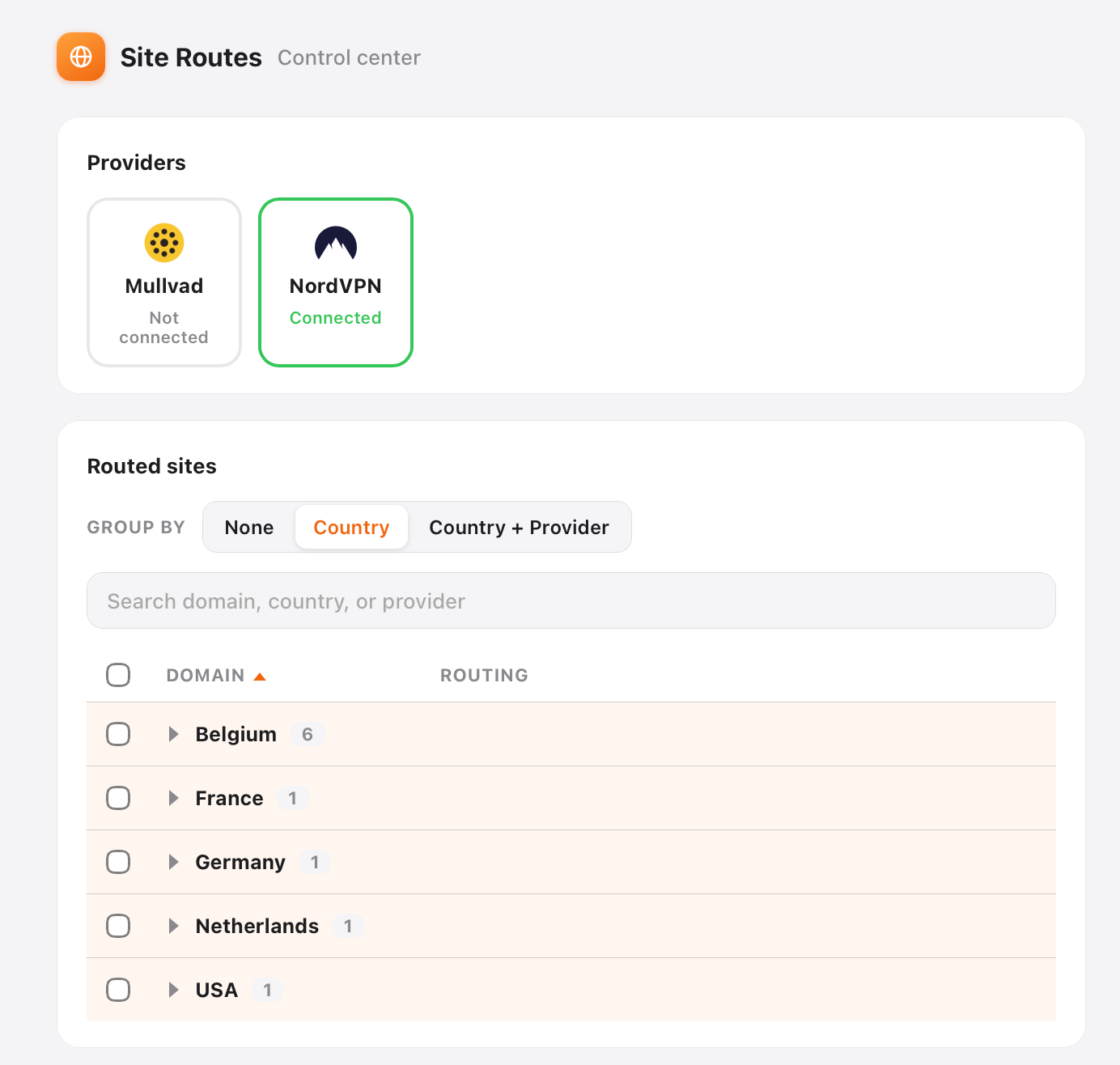
Site Routes Settings: VPN providers and routed sites grouped by country and provider.
Settings: connect your VPN providers, then route sites by country. Everything else stays direct.

Last Login

Never guess how you signed in.

It marks the button you used last time, Google, Apple, GitHub, or email, so you never stare at a wall of options again.

v1.1.423 Jul 2026Every siteOn-deviceFree

Download for macOS Notarized by Apple. Apple silicon Mac, Safari.

Every site remembers on its own: here it was Google.

Full Page Screenshot

Capture the whole page, not just the screen.

One click turns an entire web page, top to bottom, into one clean image, no scrolling and no stitching shots together by hand. From there it becomes a little editor: crop to what matters, mark it up, then save as PNG, JPEG, or PDF. It even pre-picks the format for you, PNG to keep text and interfaces razor-sharp, JPEG when the page is photo-heavy and the file should stay small. Copy the shot straight to your clipboard, or copy its saved path to paste it anywhere.

v1.2.323 Jul 2026Every siteOn-deviceFree

Download for macOS Notarized by Apple. Apple silicon Mac, Safari.

The Full Page editor toolbar: Copy, Save PNG, PDF, and the capture size 1477 by 14376 pixels.
A full New York Times front page captured top to bottom as one image.
Easily capture lengthy pages, whole newspapers, long articles, entire social feeds, top to bottom in one shot.Capture lengthy pages, newspapers to social feeds, in one shot.

SuperVideo

Watch every video on your terms.

Set the speed on any video, fill the window when you want to focus, and pick your subtitle language once. It reaches well past the built-in controls.

v1.2.1022 Jul 2026Every siteOn-deviceFree

Download for macOS Notarized by Apple. Apple silicon Mac, Safari. macOS 13+.

A conference talk video that fills the window when Fill window is clicked. Fill window
2:14 / 41:03 CC
The cursor clicks Fill window, and the video takes over the window.

In the workshop

Not released yet

Autofill Forms

Fill any web form in one click, from a profile that never leaves your Mac.

Every siteOn-device

In development

Grocery Verdict

An independent read on grocery products while you shop online: quality tier, decoded labels, worth the premium or not.

Amazon Fresh & Whole Foods

The thinking behind the tools

The family grows. The tools stay small.

Each tool is small on purpose, fixing one everyday annoyance so well you forget it was there. Those little fixes add up to a calmer, faster day. We make more tools, not more work for you.

On-device by default

Your browsing, your files and your searches are not ours to collect. The tools do not run ad trackers or sell a profile of you. Update checks and anonymous usage counts each have an off switch in Settings, and never carry URLs, file names, search text or content. A Humble Search purchase also checks its license about once a day. Site Routes only moves the sites you pick through the VPN you already chose.

Fair prices, no dark patterns

Humble Search is $5 once. Site Routes is free, with a $19 one-time Pro. Last Login, Full Page and SuperVideo are free. Nothing to sign up for, no subscription, no fake scarcity. Details on the privacy page.